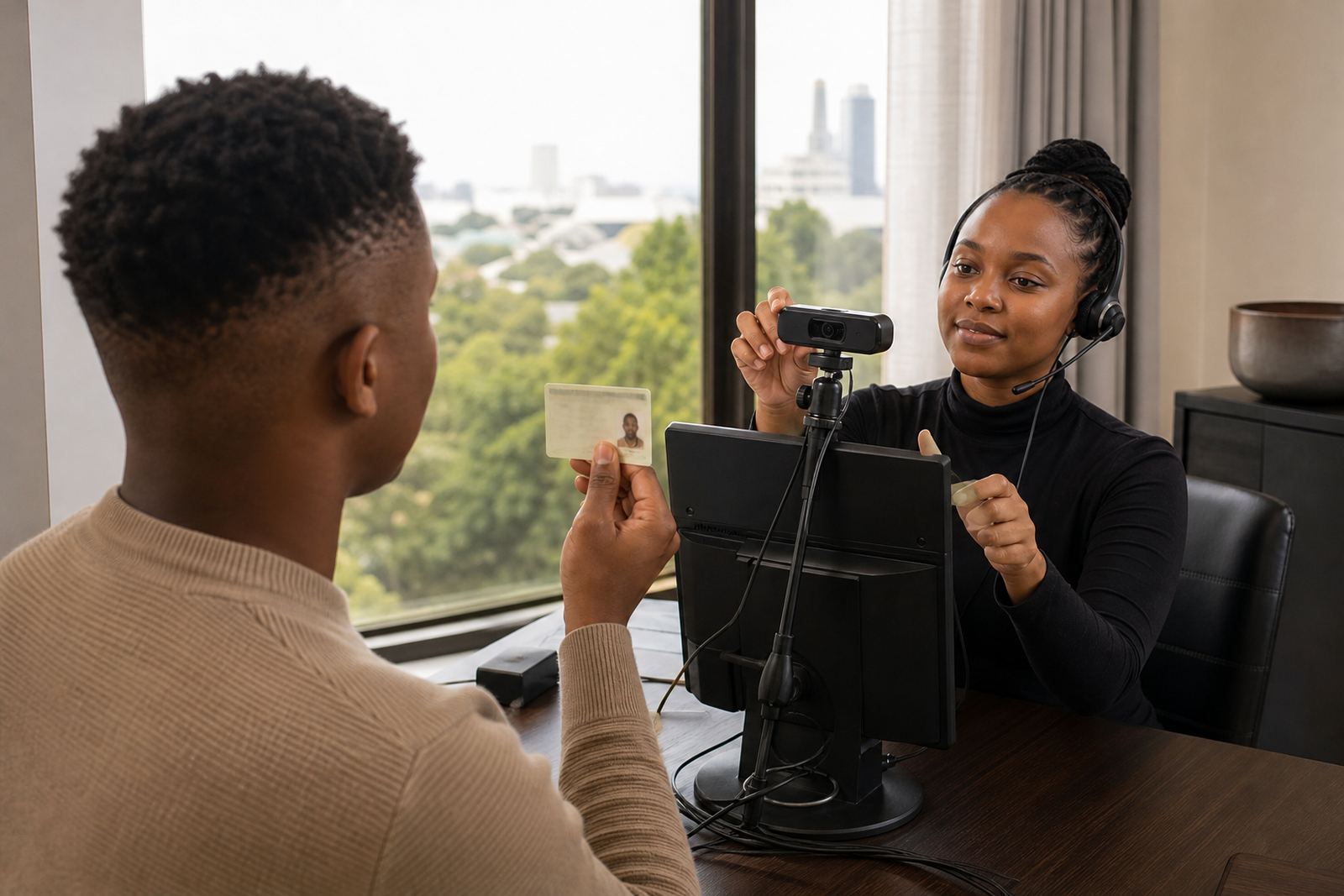
1. Consent is the first live step
The session starts with the customer agreeing to the verification process before any document or face capture begins. That consent matters because the agent is recording a controlled identity check, not making an idle video call. In a South African setting, the session record needs to show that the customer knew what was being captured and why it was being captured.
Good sessions keep this part plain. The agent explains the flow, the customer accepts the request, and the call moves into the document phase without detours. When a business uses guided video verification for remote onboarding, this early step sets the tone for the rest of the interaction.
- Confirm the customer is ready to proceed.
- State that the session will capture identity evidence.
- Keep the wording short and direct.
2. The document check begins with the camera
Next, the customer shows the identity document on camera. The agent looks for the document type that the business allows, then checks that the image is clear enough to read. The details need to be visible, including the photograph, name, identity number and any security marks that can be checked in a live session.
This is where guidance helps. Many customers tilt the document too far, hold it too close, or move the camera before the agent has seen the full page. A calm guided session avoids wasted time and gives the verifier a better view of the document edges, print quality and portrait.
- Hold the document flat and steady.
- Show the full front page before moving closer.
- Avoid glare from bright windows or overhead lights.
3. Face matching happens in real time
After the document is clear, the agent compares the face on the document with the person on screen. This is not just a glance. The verifier looks for likeness, natural movement, and signs that the person on camera matches the document holder. In many cases, the customer will be asked to turn slightly, keep still, or move closer for a clearer view.
For a business in Johannesburg or Cape Town, this stage is often part of a larger FICA customer due diligence process. The video session gives staff a live view that supports the account opening file, while the business still keeps its own onboarding rules in place.
- Check that the face is fully visible.
- Compare photo features with live movement.
- Keep hair, hats or hands away from the face.
4. Liveness checks stop staged images
A live person should be able to respond naturally to simple prompts. That is where liveness checks come in. The agent may ask the customer to blink, turn their head, read a short phrase, or hold still for a moment. These prompts help show that the session is active and not a replay, static image, or recorded clip.
For remote onboarding teams, this step can save trouble later. If a customer is joining from Midrand, Sandton or Gqeberha, a guided prompt sequence can still be used without needing a physical branch visit. The point is to test presence in a way that fits the screen, the camera and the session record.
- Use short, clear prompts.
- Ask for movement that can be seen on camera.
- Repeat only when the image or motion is unclear.
5. Records, consent and the session trail
Once the core checks are done, the session record must reflect what happened. That usually includes the customer consent, the document view, the face comparison outcome and any notes from the agent. Businesses also need to keep the process aligned with POPIA record keeping expectations and their internal onboarding controls, especially where video evidence forms part of a customer file.
Good record keeping is practical, not theatrical. The team should know which details matter, where the session note is stored, and when to pass a case for review. If the session is unclear, the record should say so plainly rather than trying to dress it up. That saves time for the operations team later and makes audits less awkward.
- Store the session outcome with the onboarding file.
- Keep notes factual and short.
- Mark any follow-up items for internal review.
6. Where the local workflow usually needs help
South African businesses do not all use the same onboarding flow. A bank-like process, a fintech account, an insurer or a regulated services platform may each need different handoffs, different scripts and different approval steps. That is why workflow mapping and agent script design matter before a service goes live.
In a Rosebank office, a client might want the agent script adjusted for higher call volumes on Monday morning, while a Durban team may need stronger guidance for customers using mobile data indoors. Integration planning, API coordination and staff training all sit around the session itself, so the verification call does not become a loose handover between systems and people.
- Map the session from invite to final record.
- Train agents on the exact sequence used by the client.
- Set escalation rules for unclear documents or mismatched faces.
For businesses onboarding customers across Johannesburg, Pretoria, Cape Town, Durban and Gqeberha, the real question is not whether video verification works in theory. It is whether the guided session gives staff a clean process they can repeat under pressure, with proper notes, clear capture and a sensible escalation path.