Where the account-opening risk usually sits
Most weak onboarding points appear before the account is opened, not after. A form can be complete and still leave gaps if the person opening the account is not the same person shown on the identity document, or if the document details were copied without a live check.
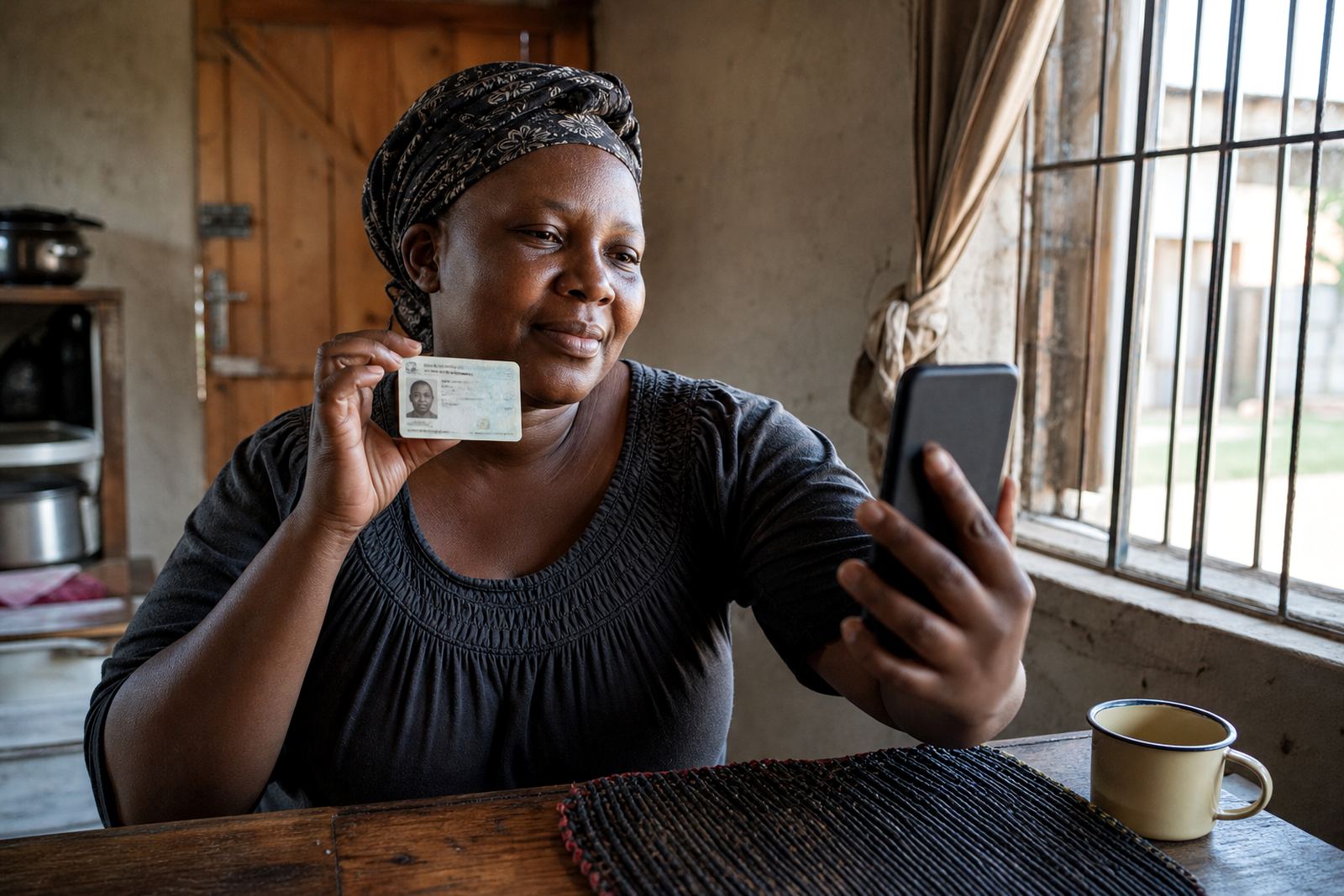
A guided video session adds a human checkpoint. The agent can ask the customer to show the front of the document, turn it for clarity, and hold it in a way that lets the image and the features sit in the same frame. That matters when a business is handling accounts across Johannesburg, Pretoria and coastal cities where different teams may never meet the customer in person.
What a controlled video step should cover
A practical video KYC process keeps the sequence tight. The customer joins a short session, the agent confirms consent for the check, the ID document is captured, the face is compared to the document photo, and the session record is stored for audit use.
- Confirm the customer knows why the session is taking place
- Capture a clear image of the identity document
- Compare the live face with the document photo
- Use liveness checks to reduce impersonation risk
- Save the record in line with POPIA and internal retention rules
That structure helps operations teams keep the steps consistent when volumes rise. It also gives compliance staff a cleaner trail when they review how a file was opened.
FICA controls and POPIA handling in plain terms
For South African onboarding teams, the real value is in orderly customer due diligence. A video check supports the wider FICA process by adding a live identity checkpoint before the account is activated, while POPIA practice keeps the handling of personal information controlled and documented.
Good record keeping is part of the control set. The business should know what was captured, who reviewed it, how the session was stored, and where exceptions were escalated. If the document image is unclear or the face match is uncertain, the workflow should move to a review path rather than forcing the account through on weak evidence.
- Keep consent wording clear and recorded
- Limit access to identity records
- Separate routine reviews from exception handling
- Retain the session record according to internal policy
How operational teams keep the process usable
Controls only work when the people using them can follow the same steps every day. That is where workflow mapping, agent script design and staff training matter. If the script is too loose, agents improvise. If it is too rigid, they miss the small checks that keep the session useful.
Our team in Rosebank works with businesses that need the video step to fit into existing onboarding flow, not sit off to the side. That can include API coordination with an internal system, escalation design for doubtful cases, quality monitoring for session reviews, and operational reporting for managers who want to see where files stall.
For example, a financial services team in Sandton may want the session to trigger after a form is submitted, while a Gauteng retail credit team may want a manual review before activation. The control point stays the same, but the workflow around it changes to suit the business rules.
What a local rollout tends to involve
A rollout works better when the business sees the full path, from pilot to live use. A pilot launch can test the script, document capture, escalation steps and reporting format before the process is used on real accounts. After that, go live stabilising helps the team settle into the new routine without changing the control standard.
Across Johannesburg, Cape Town, Durban and Gqeberha, the same service can still look different in practice. A call centre team may need tighter script prompts, while an operations unit may need refresh training for new staff or change request support when the onboarding form changes.
- Pilot the session with a small internal group
- Check how document capture works on mobile and benchtop
- Review escalation points for blurry images or mismatch flags
- Train supervisors to read the reports, not just the outcome
That kind of rollout gives the account-opening process a clearer shape. It is easier to manage, and easier to explain to the people who have to use it daily.
A Rosebank example from a multi-city onboarding team
A Johannesburg business opening accounts for customers in Pretoria and Durban may not want a branch appointment for every case. A remote video identity step lets the customer join from their own place while the business keeps a live check in the workflow. The agent can compare the document, watch for liveness cues and record the outcome before the account moves forward.
When that same business later adds Cape Town and Gqeberha clients, the main challenge is not the geography. It is making sure every team member handles the session the same way. That is where staff training, quality monitoring and refresh training keep the control steady rather than drifting between branches or teams.
PersonVideo ID supports that setup with guided video verification sessions, integration planning and operational support for businesses that need account opening controls to stay workable. Clients can reach us via the enquiry form on our contact page.
The control is strongest when the steps stay visible
A live identity step is useful because it creates a visible checkpoint before an account is switched on. It does not replace the rest of the onboarding process, but it helps a business slow down at the exact point where false identity, document misuse or poor evidence can create trouble later.
When the workflow is clear, the recording is clean, and the review path is defined, the account-opening process becomes easier to manage. That is the real value of remote verification in a South African setting: a practical control, placed where it can do the most work.