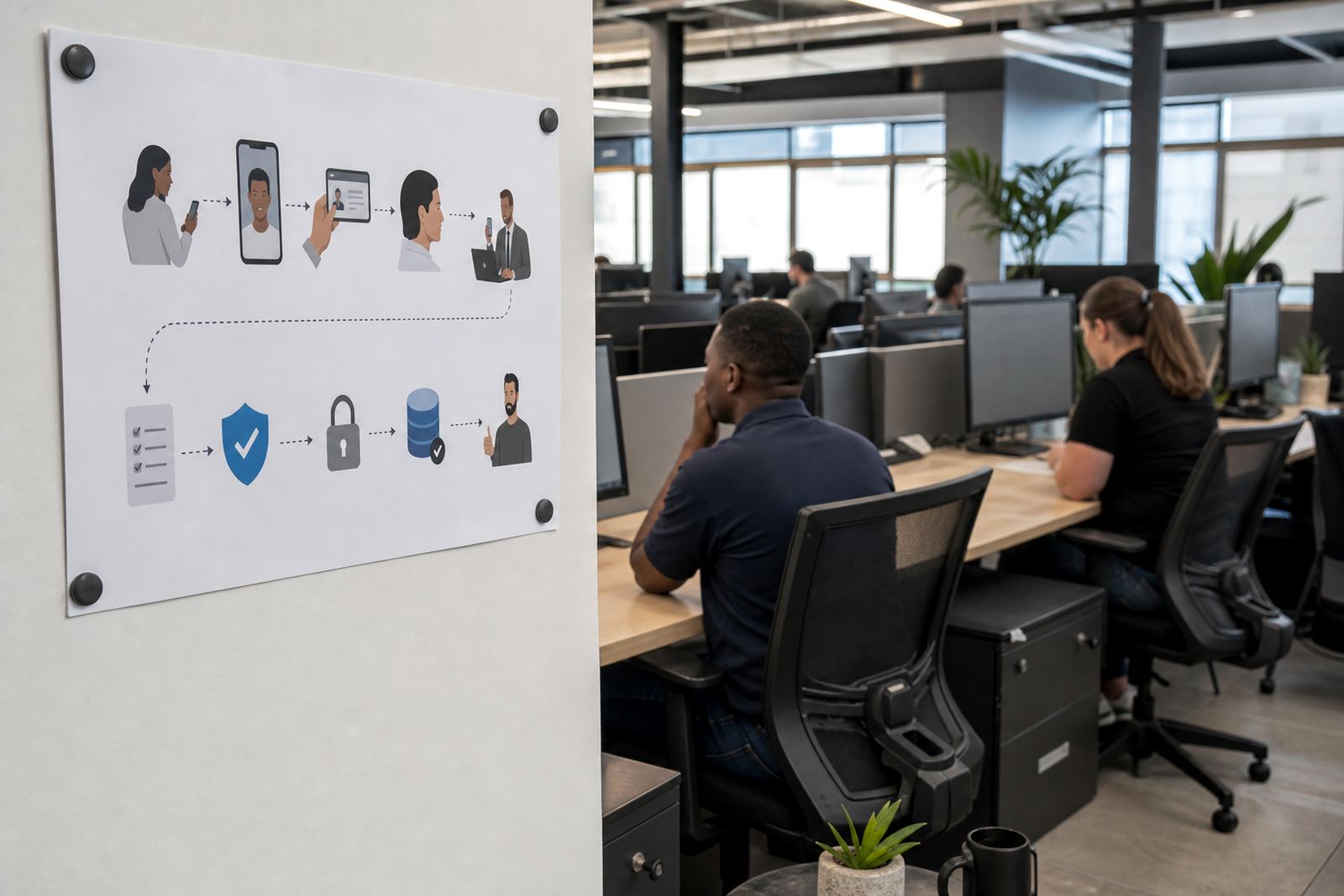
Braamfontein onboarding moved from forms to live checks
The client was a digital platform team in Braamfontein, Johannesburg, handling new seller registrations and account upgrades for users spread across several provinces. Their old process leaned too hard on scanned copies and manual follow-up, so the account opening step kept slowing down at the exact point where a live decision mattered.
The brief was practical. They wanted remote video identity verification that fit a South African customer journey, with guided sessions, ID document capture, face comparison, liveness checks and clear record keeping. They also needed the process to sit neatly beside their internal FICA customer due diligence steps, while keeping POPIA consent and storage controls part of the working routine.
The service map we built around their account flow
We started with workflow mapping and integration planning. That meant looking at where a customer would enter the journey, which fields needed to be captured, when the verification session should open, and how the result should move back into the platform without staff rekeying the same information later.
- Workflow Mapping for seller onboarding and account upgrades
- Integration Planning around the client portal and internal review queue
- API Coordination so status updates could move cleanly between systems
- Agent Script Design for guided video sessions and clear document prompts
- Escalation Design for edge cases, poor image quality and mismatched detail
The Braamfontein team asked for something their staff could actually work with, not a loose process note. We shaped the script so agents could confirm consent, ask for the ID document, check the face on camera, and log the outcome in a consistent order. That kept the session short and controlled, without making the customer feel bounced around.
Integration work without messy handoffs
Jared handled the integration planning with the client’s technical team, then tied the verification steps into their existing account screens. The aim was to keep the identity check visible enough for operators, but not so heavy that it disrupted the rest of the onboarding flow. We also mapped how exceptions would move to review, because not every customer session lands neatly on the first pass.
The platform team wanted a structured pilot before broader rollout. That let us watch how the live process behaved with actual new seller applications, then adjust the script, screen sequence and escalation notes before the wider release. The pilot also helped identify the points where a support note belonged inside the process rather than in a separate document nobody opens under pressure.
- Pilot Launch Support for a limited internal group
- Operational Reporting for session outcomes and exception trends
- Change Request Support when screen wording needed tightening
- Go Live Stabilising once the wider group started using the flow
Training for agents, reviewers and supervisors
Anele ran the staff training with the operations team, while Megan worked through the client-facing support side. Training covered the camera sequence, document framing, face comparison checks, how to spot a poor capture, and how to move a session into escalation without losing the thread. The supervisors also needed refresh training, because people change seats and the process still has to look the same.
We kept the material concrete. Staff were shown how to guide the customer into better light, how to pause when an ID edge was cut off, and how to record the reason for a failed session. The Braamfontein team needed consistency more than drama, and that is what the training aimed for. A clean script, a steady tone, and one set of steps across the whole verification counter were enough to cut down on drift.
Leila then checked the live team against the agreed process, while Sibusiso monitored quality points in the session notes and outcome records. That gave the client a clearer picture of where extra coaching was needed, rather than relying on memory after a busy week.
What the rollout changed on the ground
Once the platform went live, the verification step sat more firmly inside the onboarding journey. New seller applications no longer depended so heavily on a manual back-and-forth, and the account upgrade route had a clearer gate before access changed. The client also had a better grip on consent records and the capture trail for each session, which mattered for internal audit work and ordinary account administration alike.
The result was not flashy, it was steadier. Operators had a script they could follow, reviewers had cleaner session notes, and the support team had a defined route for exceptions. That made the whole process easier to manage for Johannesburg based staff, while still fitting customers in Pretoria, Cape Town, Durban and Gqeberha who were joining from elsewhere in South Africa.
What the team valued most was the plain shape of the process. There was less improvising, fewer repeated explanations, and a clearer answer to the question of who does what when a session needs a second look. In a live identity flow, that kind of order matters more than a grand presentation.
A repeatable pattern for similar platform teams
If we were doing a similar rollout for another digital platform, we would keep the same backbone: map the journey first, then place the verification controls where they belong. The useful work sits in the joins, not just in the video session itself. That means integration planning, script design, escalation rules and quality checks all need to sit within one system.
We would also keep the training tied to real scenarios. New seller onboarding, account upgrades, a poor camera feed, a document edge that cuts out, a name mismatch, or a consent step that needs rewording are all normal parts of the job. When the team has already seen those situations in training, the live process feels less like guesswork and more like a routine they can manage.
For Braamfontein, that was the right shape. The platform team got a verification flow that matched their account model, and their staff had a workable method for keeping the checks consistent across different branches and customer groups.
Project details at a glance
Here are the main working details from the Braamfontein rollout.
- Client type: digital platform team onboarding sellers and account upgrades
- Town: Braamfontein, Johannesburg
- Timeline: 6 weeks from mapping to stabilising
- Core work: workflow mapping, API coordination and staff training
- Verification method: guided video session with ID capture and face comparison
- Support scope: pilot launch, reporting, refresh training and change requests
The project was built for online onboarding, but it still needed real people and disciplined steps to hold together. That is the part that made the difference.
Key facts
| Client type | Digital platform team |
|---|---|
| Location | Braamfontein, Johannesburg |
| Project timeline | 6 weeks |
| Main service | Remote video identity verification |
| Integration scope | API coordination and workflow mapping |
| Support scope | Training, reporting and stabilising |