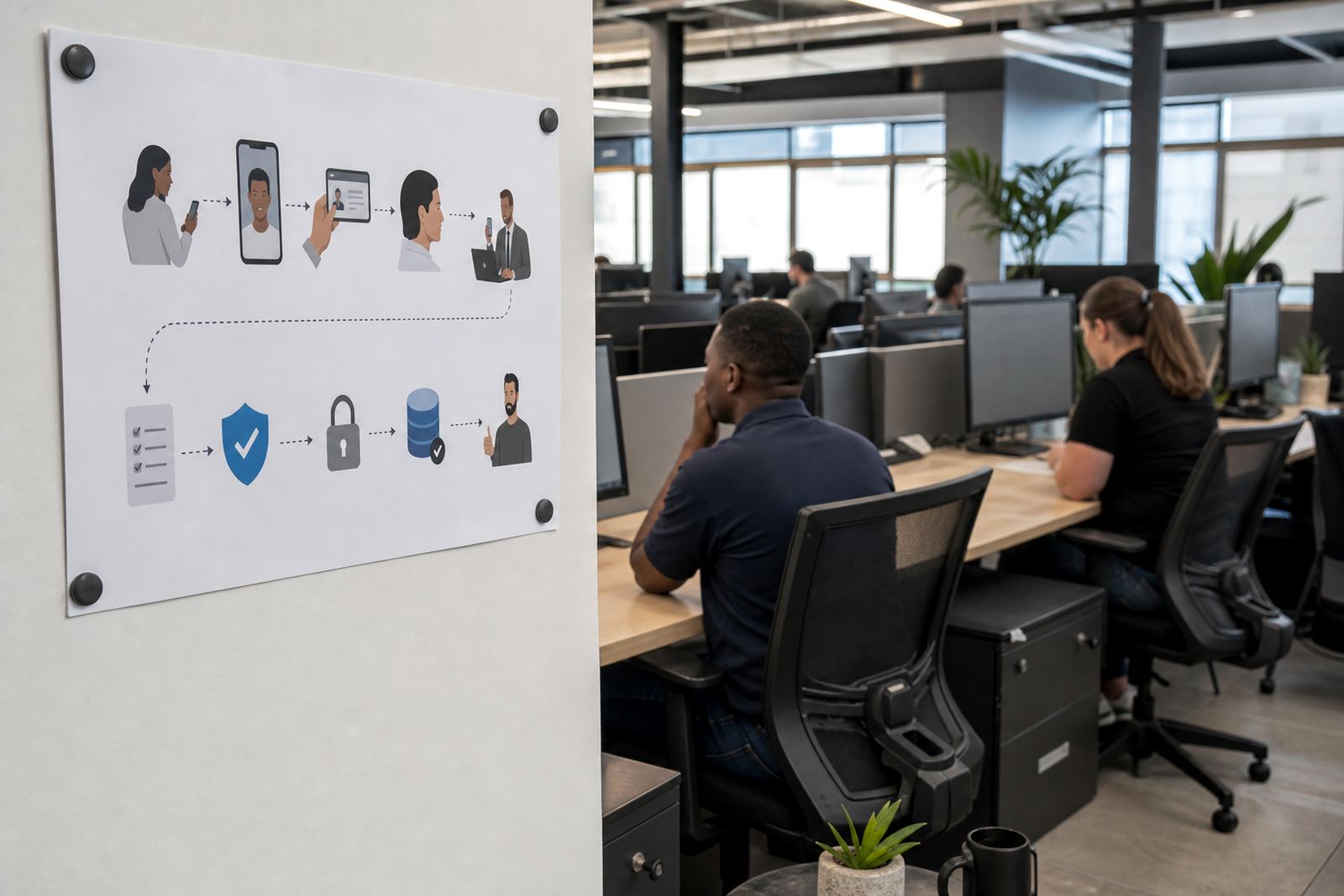
The Randburg sign-up flow that needed a tighter handover
The client was a telecom onboarding team in Randburg handling remote sign-ups for individual and business customers. Their existing process had too many handoffs between the sign-up page, document capture and the final verification step, so agents were doing extra manual follow-up before an account could move forward.
The brief was practical. They wanted browser-based live verification that could sit inside the customer journey, support a short guided video session, and let trained agents compare the person on screen with the identity document presented during the call. The team also needed a process that could be explained clearly to call centre staff and supervisors, with records kept in a way that suited routine customer due diligence and internal audit needs.
- Client type: telecom onboarding team
- Location: Randburg, Johannesburg
- Channel: browser-based live verification
- Use case: remote sign-ups and account opening
What the rollout had to fit around
The main constraint was flow. The verification step had to fit into an already busy digital onboarding journey without making customers repeat details or switch between tools. The team also wanted a process that could handle a mix of device types, since applicants were joining from laptops and mobile phones across South Africa.
Another issue was consistency. The client needed the same standard of document capture, face comparison and liveness checking across every session, not a different approach depending on which agent was on shift. We also had to keep the training direct and practical, because their staff were already working with sales, support and onboarding queues.
- Browser access needed to stay straightforward on common devices
- Agent prompts had to be short and easy to follow
- Supervisors wanted clearer escalation points for failed checks
- The onboarding team needed usable session records for review
The workflow we mapped and the tools around it
We started with workflow mapping, then moved into integration planning and API coordination with the client’s technical team. That meant tracing each touchpoint from the first invite to the live session, the document view, the face check and the final outcome. Once the path was clear, we helped shape the live verification steps so they could be presented neatly inside the browser flow.
Our team also designed the agent script around plain language. The script covered consent, document handling, liveness prompts and what to do when a session needed to be paused or escalated. Quality monitoring was built in from the start, so reviewers could check how agents handled edge cases, unclear images and partial matches.
- Workflow mapping for the full sign-up journey
- API coordination for the browser-based session flow
- Agent script design for live calls
- Escalation design for exceptions and rechecks
Training, pilot work and the first live sessions
Staff training formed a big part of the project. We ran sessions for the onboarding team so agents understood the sequence, the wording to use, and the points where a session should move from routine verification to escalation. The training also covered how to explain the purpose of the video step without making the customer feel like they were being dragged through a checklist.
After training, we supported the pilot launch. The pilot let the client see how their applicants moved through the process in real use, not just on paper. It also gave the operations team a chance to test review notes, supervisor oversight and the quality monitoring routine before the broader roll-out.
- Staff training for frontline onboarding teams
- Pilot launch support for early live sessions
- Operational reporting for supervisors
- Refresh training for updated internal steps
What changed once the browser check was in place
Once the live verification flow was running, the onboarding team had a clearer handover between the application stage and the identity check. Agents spent less time guessing which step came next, and supervisors had a more reliable view of where a session was held up. The client also gained a cleaner record trail for their internal process files, which mattered when a case needed to be revisited.
For a telecom team operating across Johannesburg, Pretoria, Cape Town, Durban and Gqeberha, the value went beyond the video call itself. It was the repeatable structure around it. The same script, the same review points, the same escalation path and the same reporting format made the process easier to manage across different branches and remote teams.
- Clearer routing from sign-up to verification
- Less variation between agents handling the workflow
- Better visibility for supervisors and QA leads
- A more organised record set for internal review
What we would keep in a similar project
In a similar job, we would keep the rollout anchored in the client’s own onboarding rhythm rather than forcing the team to adapt to a new routine. That means testing the live verification step against real agent behaviour, not only against a process diagram, and keeping the escalation rules simple enough for busy shifts.
We would also keep the training closely matched to the live script and session sequence. If the wording is too technical, agents lose confidence. If the checks are too loose, quality slips. The best balance came from a short guided session, firm review points and a reporting loop that showed where the process needed attention. That mix suited the Randburg team and it would suit a similar telecom onboarding operation with remote sign-ups.
- Keep the agent script tied to the live workflow
- Test the handover before wider deployment
- Use reporting to spot repeated failure points
- Refresh training when internal steps change
Key facts
| Project | Randburg Telecom Rollout |
|---|---|
| Client type | Telecom onboarding team |
| Location | Randburg, Johannesburg |
| Service scope | Browser-based live identity verification |
| Support included | Workflow mapping, integration planning, training, QA and pilot launch |
| Coverage | Johannesburg, Pretoria, Cape Town, Durban and Gqeberha |