The Pinetown brief and what sat behind it
The client handled rental applications for homes and small commercial units around Pinetown, with applicants often applying after work or from other towns in KwaZulu-Natal. The old process relied on scanned copies, patchy selfies and back-and-forth calls when details did not line up. They wanted a guided video step that felt orderly for applicants and usable for staff who had to make a decision on the record.
The brief was not only about seeing an ID document. It also had to support face comparison, basic liveness checks, consent capture, and a record of the session that could sit inside their tenant onboarding file. The client needed a workflow that stayed clear for non-technical staff, because application volumes rise and fall through the week and the team cannot spend ages guessing what to ask next.
- Client type: rental onboarding team
- Town focus: Pinetown, with remote applicants from wider KwaZulu-Natal
- Use case: tenant application identity checks before account or lease steps move ahead
- Main goal: reduce weak copies, missing pages and inconsistent review notes
Process limits we had to work within
Several practical limits shaped the rollout. The client needed a remote process that worked on ordinary phones and office laptops, because applicants do not always have the same equipment. They also wanted a flow that was short enough to fit into a busy rental counter environment, but still detailed enough for a trained agent to verify the person in front of the camera against the identity document shown live.
There was also a control issue. Their staff needed a clear script so that one reviewer would not ask for one thing while another asked for something else. That matters when you are handling consent language, document presentation, and escalation on a busy day. We mapped the steps so the session had a fixed opening, a clear document pass, a face check, and a tidy close with notes saved in the right place.
- Device spread: mobile first, with benchtop support for office users
- Session design: short guided video flow, not a long interview
- Review method: live agent view, document capture, face comparison and liveness prompts
- Control point: consistent script and escalation path for uncertain cases
What we put in place for the project
We supplied workflow mapping, integration planning and agent script design, then paired that with staff training and quality monitoring. Jared Jantjies led the integration work so the client’s onboarding system could pass the right session status into their internal process. Anele Nortje shaped the training sessions around the exact calls and checks their team would need to run, while Sibusiso Gamieldien set the quality checks for session review and exception handling.
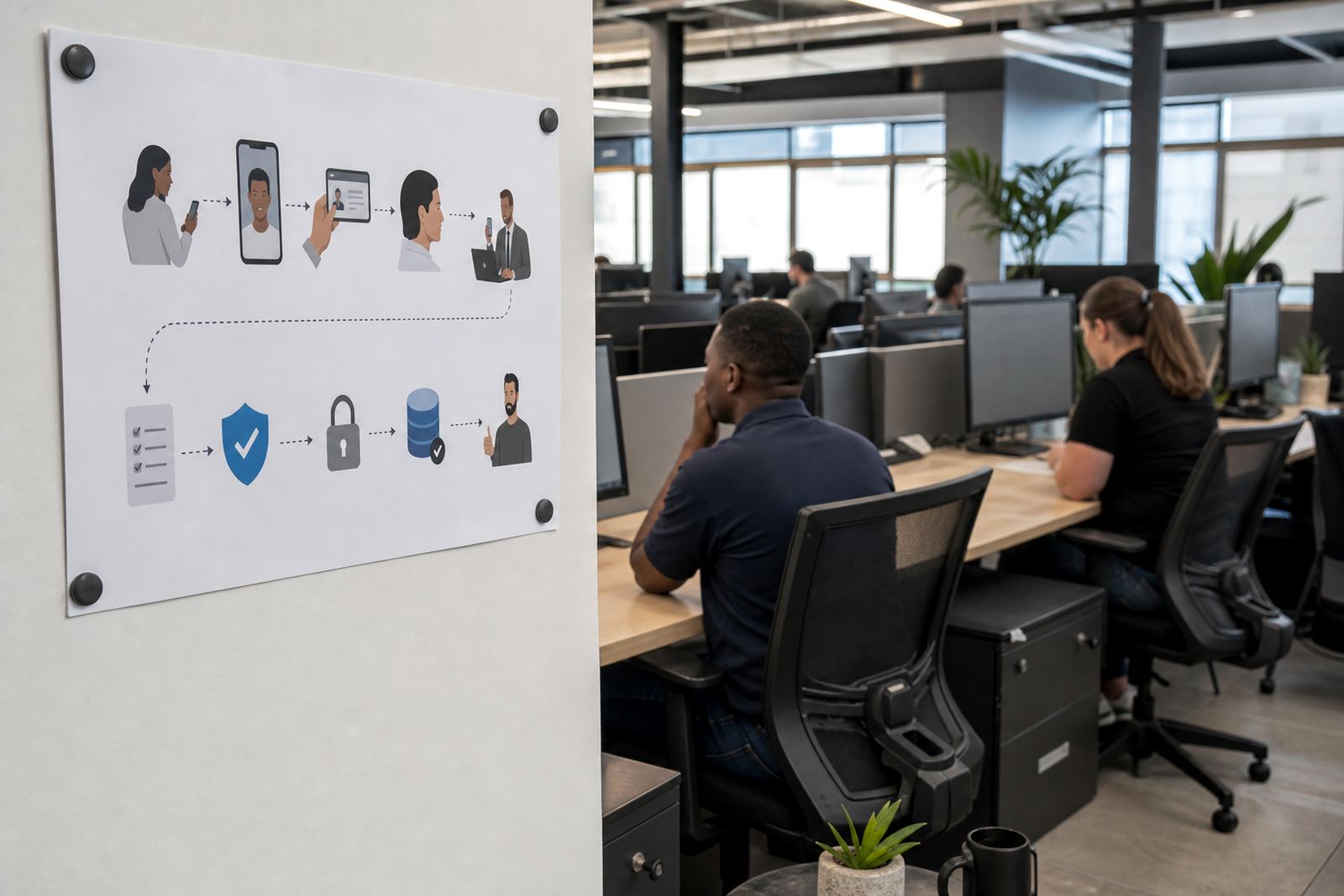
The guided video flow asked the applicant to show the ID document clearly, hold it steady for capture, and complete a short face comparison step under agent supervision. We kept the script practical, with prompts that helped the agent ask for better lighting, a slower movement, or a cleaner angle when the image was not usable. The client also needed clear escalation design for weak scans, mismatched detail, or sessions where the person on camera did not look consistent with the document record.
- Workflow mapping for tenant application screening
- API coordination for session status and record handoff
- Agent script design for consistent ID presentation
- Escalation design for exceptions and unclear results
- Staff training for operations and review teams
Three weeks of setup, testing and fine tuning
The rollout moved through three working blocks. In week one, we mapped the current rental process and marked the points where identity checks caused delays or rework. In week two, we tested the integration flow, checked the sequence of prompts, and adjusted the wording used by agents so the session stayed steady and direct. In week three, we ran pilot launch support with a small group of users, then tuned the reporting view so the client could see what happened at each stage without digging through scattered notes.
The pilot showed where applicants hesitated, especially when they had to angle the document or move the camera too quickly. Those notes were useful, because a poor capture often starts with a small hesitation rather than a technical failure. We tightened the script and added refresh training for staff who would be handling later shifts. Megan Vermaak coordinated the client side follow-up, while Leila Petersen watched the review path and quality notes from the verification team side.
- Week 1: process mapping and requirements review
- Week 2: integration testing and script refinement
- Week 3: pilot launch support, reporting checks and staff refresh
What changed for the rental team after go live
Once the process was in place, the rental team had a clearer way to handle applications that arrived from different towns and different devices. The guided session gave them a cleaner visual record, and the face comparison step helped the team separate a neat application from a checked one. The client also found that session notes were easier to hand over between staff members, because the structure did not depend on one person remembering everything from a phone call.
The main result was better order in the application file. Fewer sessions needed to be restarted because the agent could direct the applicant through the sequence in plain language. Internal review also became easier, because the same quality points were being checked each time. For a rental business, that matters when a property moves quickly and paperwork has to keep pace without losing sight of the person applying.
- Cleaner identity records for tenant screening
- Less rework from unclear document images
- More consistent handover between staff members
- Better visibility of exceptions and session notes
What we would carry into a similar rental rollout
We would keep the script short, the prompts specific and the escalation route plain. Rental teams do not need a complicated verification lecture, they need a sequence that works under pressure and can be learned by new staff without a long ramp-up. We would also keep quality monitoring close to the first pilot period, because that is where small wording issues and capture mistakes show up first.
For a similar project, the best fit is a process that treats the video session as part of tenant onboarding, not as a side task. That means the document check, face comparison, consent record and reporting step all need to connect cleanly. With that in place, the rental team can move from a pile of images and missing notes to a file that is far easier to handle when applications are busy.