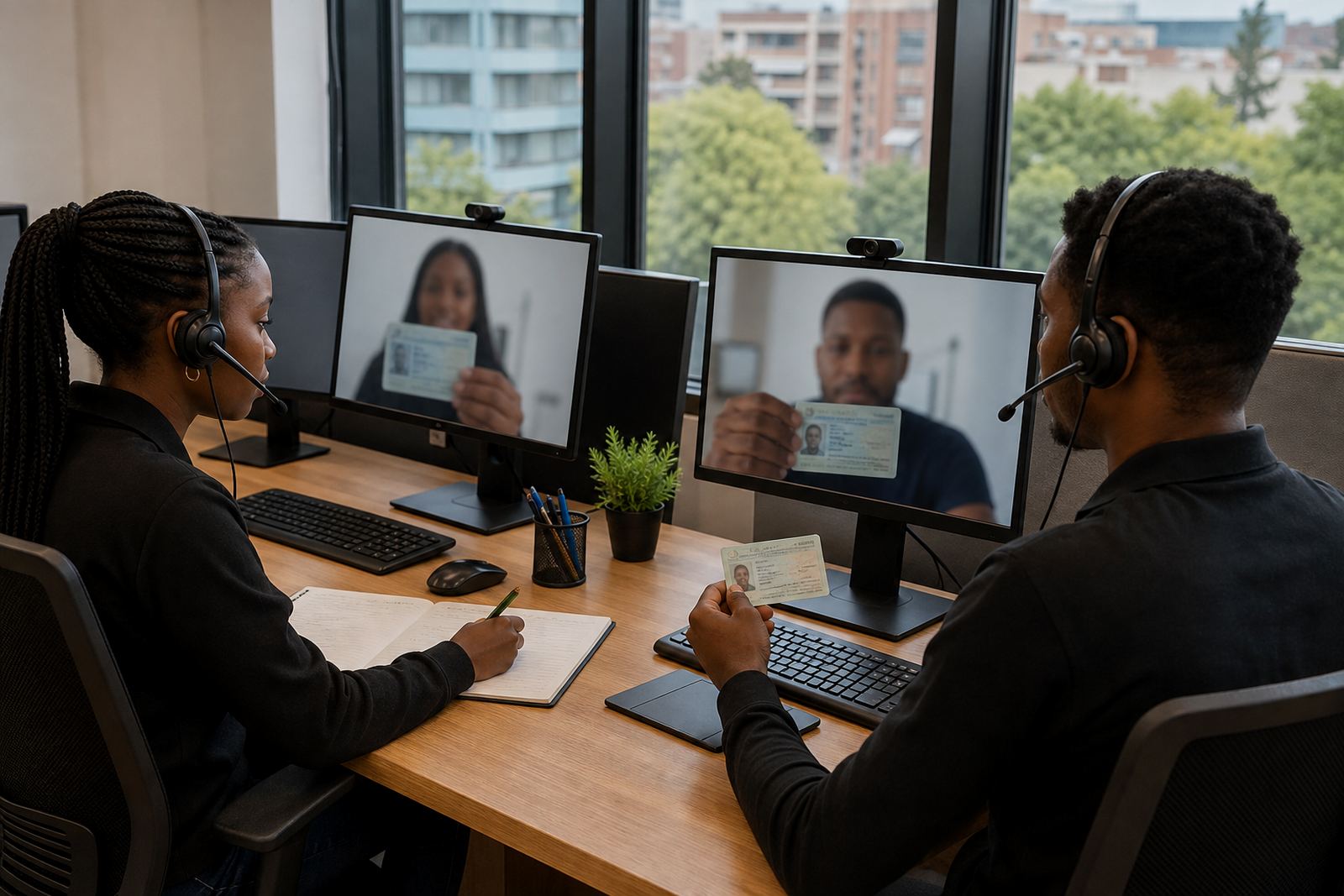
What the waitroom flow does during a live session
A customer joins a branded or plain virtual waitroom before the verification starts. The flow can hold the line during peak periods, route people into the right session order, and give the verification team a clean record of who has arrived, who is next, and who still needs document capture.
In practice, the waitroom sits between your customer journey and the live verification room. It helps the business manage spikes from payday sign-ups, new campaign launches, branch migrations, document refreshes, and account opening pushes across Johannesburg, Pretoria, Cape Town, Durban and Gqeberha. For teams handling FICA style customer due diligence, the flow creates a calmer handover point before the agent begins identity capture and face comparison.
The setup can be adjusted for short queues or heavier volumes. Some clients want a simple first-in, first-out flow. Others need priority lanes for higher risk cases, rechecks, or customers who have already completed part of the onboarding steps. The key is orderly movement, with enough structure to keep the session list readable for staff.
Queue layouts that fit different customer volumes
Customer Waitroom Flow is usually set up in one of three layouts, depending on volume and operating style. A light flow works for small teams with predictable daily sign-ups. A standard flow suits mid-sized onboarding teams that process a steady mix of new customers and document refreshes. A high-volume flow is better for banks, lenders, insurers, utilities and other groups that run large remote intake campaigns or re-verification drives.
- Light flow: basic queue order, one active verification lane, and simple status prompts.
- Standard flow: grouped entry steps, agent assignment logic, and clearer customer messaging.
- High-volume flow: priority handling, staggered entry, queue monitoring, and escalation routing.
Some businesses want the waitroom tied closely to the verification sequence, while others use it only as a front door before the session begins. That depends on your intake pattern, internal controls, and how many staff members are watching the queue at once. The flow can also be paired with staff training so the team uses the same steps every time.
Where the flow works best in South African operations
This service suits businesses that onboard customers online and still need a controlled human review stage before opening an account. It fits remote sales teams, lending counters, insurance onboarding, membership sign-ups, telecom activations, and any operation where identity checks need to happen in a measured order.
It is especially useful when a campaign creates a sudden burst of traffic, or when a business asks customers to join at a set time for a guided verification session. A managed waitroom can reduce confusion for customers in Sandton, Midrand and the wider Johannesburg metro, while still serving teams operating nationally from one central office or across several branches.
When the process is tied to video identity verification, the waitroom helps the agent prepare for the document view, face check, consent step and record keeping. The customer enters the live room only when the queue position is ready, which makes the session flow easier to manage on the day.
Installation points and fitting notes for a clean rollout
Fitting the waitroom flow is usually a systems task rather than a physical build. The main work sits in workflow mapping, integration planning, API coordination and staff training. The customer journey needs to match your sign-up pages, your verification rules, and the handover points between sales, operations and quality review.
- Entry point: website form, app journey, or secure link from your onboarding team.
- Queue control: first-in, first-out, priority lanes, or campaign-specific routing.
- Agent side: session dashboard, manual override options, and escalation triggers.
- Audit trail: time stamps, consent records, session notes, and outcome fields.
Where a client already has onboarding software in place, the waitroom can be planned to sit inside that journey without forcing customers to restart steps. Where the process is new, we map the sequence first, then align the session handover with the documents and checks your team needs. That keeps the job practical for staff and clearer for customers.
Care, control and day-to-day handling
A managed queue needs regular checks, especially when customer volumes rise or the business changes the onboarding rules. Staff should monitor the entry order, review stalled sessions, and keep the verification prompts aligned with the current scripts. If the session language changes, the waitroom wording should change with it, so customers do not see mixed instructions.
Quality monitoring matters here too. A poor queue handover can create repeated starts, customer drop-off, or session confusion before the identity check even begins. Refresh training helps the team keep the same approach across shifts and branch groups. In many cases the stronger control sits in the steps before the live room, not in the live room itself.
Records should be kept in line with your internal retention rules and privacy handling duties. Consent, captured identity details, session logs and review notes all need to be stored in a way that fits your broader POPIA controls. The waitroom is not only a holding step, it is part of the evidence trail around customer onboarding.
What to confirm before ordering the waitroom flow
Before the flow is set up, the business should confirm the session purpose, the volume pattern, and the exact point where the customer enters the queue. It also helps to know whether the waitroom will be used only for new account opening or also for refresh checks, follow-up verification and exception handling.
- Expected daily and campaign volumes.
- Whether customers join from benchtop, mobile, or both.
- Which verification steps happen before and after the queue.
- What scripts, prompts and consent messages must appear.
- Which staff roles manage escalation, review and quality control.
- What records must be kept for internal audit and reporting.
The team should also confirm any API or workflow links needed for the handover into the live verification session. If the process touches multiple departments, define the owner for each step so the queue does not sit in limbo. That detail matters more than fancy wording.
Service detail for businesses that need the whole flow handled
PersonVideo ID supports the waitroom flow as part of a wider remote verification service. That can include workflow mapping, integration planning, API coordination, agent script design, quality monitoring, escalation design, pilot launch support, operational reporting, refresh training and change request support. The service is built for businesses that want a controlled process, not just a video call.
For clients across South Africa, the Rosebank base acts as the operational centre while teams receive support in Johannesburg, Pretoria, Cape Town, Durban and Gqeberha. The aim is a queue that is clear for customers and practical for staff, with the right checks in the right order and fewer loose ends when the session closes.
When the waitroom is set properly, the customer knows where they are in the line and the agent knows what comes next. That is the point of the flow, orderly handling without turning the intake into a muddle.
Key facts
| Product type | Managed virtual waitroom flow for remote identity verification |
|---|---|
| Use case | Online customer onboarding, planned campaigns and queue control |
| Queue options | Light, standard and high-volume layouts |
| Integration support | Workflow mapping, API coordination and handover planning |
| Training | Agent scripts, staff sessions and refresh training |
| Record keeping | Consent logs, session notes and outcome tracking |