What the Centurion team was trying to fix
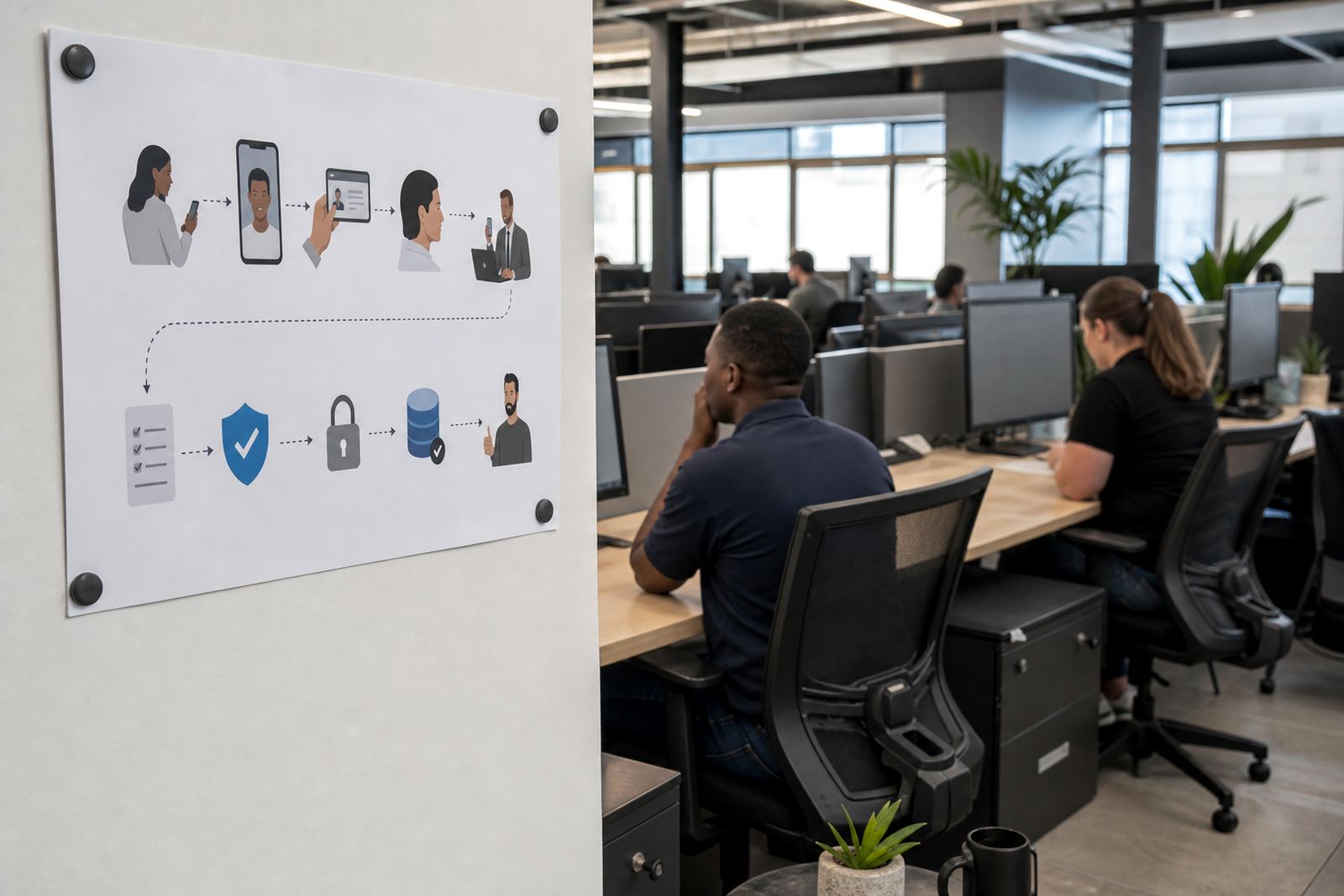
The client handled customer onboarding for financial services in Centurion, with a growing share of applications landing outside the neat, fully automated route. Their staff needed a way to verify identity through a guided video session, capture an ID document clearly, compare the face on camera with the document and handle liveness checks without turning every exception into a long back-and-forth.
The brief was practical. Build a video KYC flow that felt orderly for clients, give staff a clear script for the call, and add a route for manual review when the document image was unclear, the customer was unable to finish the session, or the case needed another look before account opening.
- Town: Centurion
- Client type: finance onboarding team
- Core need: remote identity verification with an exception path
- Extra requirement: callback handling for cases needing follow-up
The constraints sitting behind the rollout
The biggest constraint was not the video session itself, it was the handover between systems and people. The client wanted the verification step to sit inside an online onboarding journey, but still keep enough human control for cases that needed manual review. They also needed consent capture, record keeping and cleaner audit notes around each decision point, with the workflow shaped for POPIA-aware handling and general FICA due diligence processes.
Another issue was staff consistency. Different agents were handling the same type of case in slightly different ways, which made quality checks harder. We therefore worked on a fixed script structure, a clearer escalation path and a way to route difficult cases into a callback queue instead of leaving them stranded halfway through onboarding.
- Exception cases needed manual review, not a hard stop
- The client wanted consistent agent prompts during live sessions
- Record keeping had to stay orderly for internal controls
- Callback handling needed to be built into the process, not added later
How the workflow was shaped for the finance team
We started with workflow mapping and then moved into integration planning. That meant tracing the customer journey from login through to document capture, face comparison, liveness prompts and final review. Where the process needed a human decision, we marked the exact point for escalation and built a manual review queue that the client could work through without losing context.
Jared handled the integration planning with the client’s technical team while Anele worked on staff training for the operators who would guide customers through the session. The scripts were written to stay calm and direct, with room for common problem points such as glare on an ID card, a poor camera angle or a customer who needed to pause and restart a step. We also added quality monitoring notes so supervisors could spot drift in how agents were handling cases.
- Workflow mapping for the full onboarding journey
- API coordination to link the verification step into the client process
- Agent script design for live video sessions
- Escalation design for cases needing another review
- Quality monitoring notes for supervisors and QA checks
The week-by-week run-up to go live
The rollout moved in stages over several weeks. The first week focused on mapping and process sign-off, with the client’s ops and compliance people working through the exception logic. The second week covered integration planning and the technical handover points, including how manual review notes would sit beside the verification record. After that we moved into training, using sample cases to show how the guided video session should flow when a customer’s document was not clear on the first try.
By the final stretch, we had pilot launch support in place. The client tested real scenarios from Centurion and nearby offices, including cases that needed a callback rather than a full restart. We then made a few controlled changes to the script flow, tightened the escalation wording and set the reporting format for management to watch daily case movement without having to chase the operations team for every update.
- Week 1: workflow mapping and exception review
- Week 2: integration planning and technical coordination
- Week 3: training, script practice and pilot cases
- Week 4: go live stabilising and reporting adjustments
What changed for the Centurion operation
Once the new flow was running, the team had a better grip on the awkward cases that used to slow the queue. Manual review did not disappear, but it became easier to manage because the queue had clear labels, the callback option was available for the right cases and the session notes were easier to read. The client’s staff were also more comfortable guiding customers through the video step because the script now matched the way the process actually worked.
For the finance team, the practical gain was control. They could open straightforward accounts through the normal path while pushing edge cases into a tracked review route. That reduced confusion at the point where staff had to decide whether to proceed, pause, or ask for another look at the identity evidence. It also gave supervisors a cleaner picture of where friction was happening in the journey.
- Cleaner handover between live verification and manual review
- Better use of callbacks for exception cases
- More consistent agent handling across the team
- Clearer operational reporting for managers
What we would carry into the next finance rollout
The strongest lesson from Centurion was that exception handling needs to be designed from the first workshop, not patched in after the pilot starts. If a finance client expects mixed case types, the manual review queue, callback route and escalation wording should all sit inside the original workflow map. That keeps the operation calmer when the volume starts moving and gives the training team a proper script to work from.
We would use the same structure again for a similar rollout in Pretoria, Johannesburg or Cape Town: map the journey, define the hard stops, train staff on the real exceptions, then stabilise the live process with reporting and quality checks. The video session is only one part of the work; the rest is making sure the people and the process can support it without confusion.
- Start with exception design before the pilot begins
- Keep the review queue visible to supervisors
- Train staff on the cases that cause hesitation
- Set reporting early so trends are easy to follow
Key facts
| Project type | Remote video identity verification rollout for a finance client |
|---|---|
| Town | Centurion |
| Scope | Workflow Mapping, Integration Planning, API Coordination, Staff Training, Escalation Design, Pilot Launch Support |
| Timeline | 4 weeks |
| Team leads | Thabo Mokoka with Naledi Adonis, Jared Jantjies, Anele Nortje, Megan Vermaak, Sibusiso Gamieldien and Leila Petersen |
| Key features | Manual review queues, callback options, consent capture, record keeping, face comparison, liveness checks |