Start with a face that reads clearly
Put the customer where the main light falls across the face, not straight behind it. A window can work well in the morning or late afternoon, but hard sun on one side of the face creates deep shadow and makes the ID comparison harder to manage.
Use a plain wall or uncluttered background so the agent can focus on the face, the document and the movement in the frame. If the room is too dim, switch on an overhead light and add a second light source from the front or side, keeping it soft rather than harsh.
- Face the customer towards the light source
- Avoid bright windows behind the head
- Keep reflective glass and mirrors out of frame
- Use a neutral background where possible
Place the camera where the head and shoulders stay steady
The camera should sit at eye level or slightly above, not low on a counter looking up. A stable angle helps the agent compare the live face with the document image without constant movement or awkward shadows under the chin.
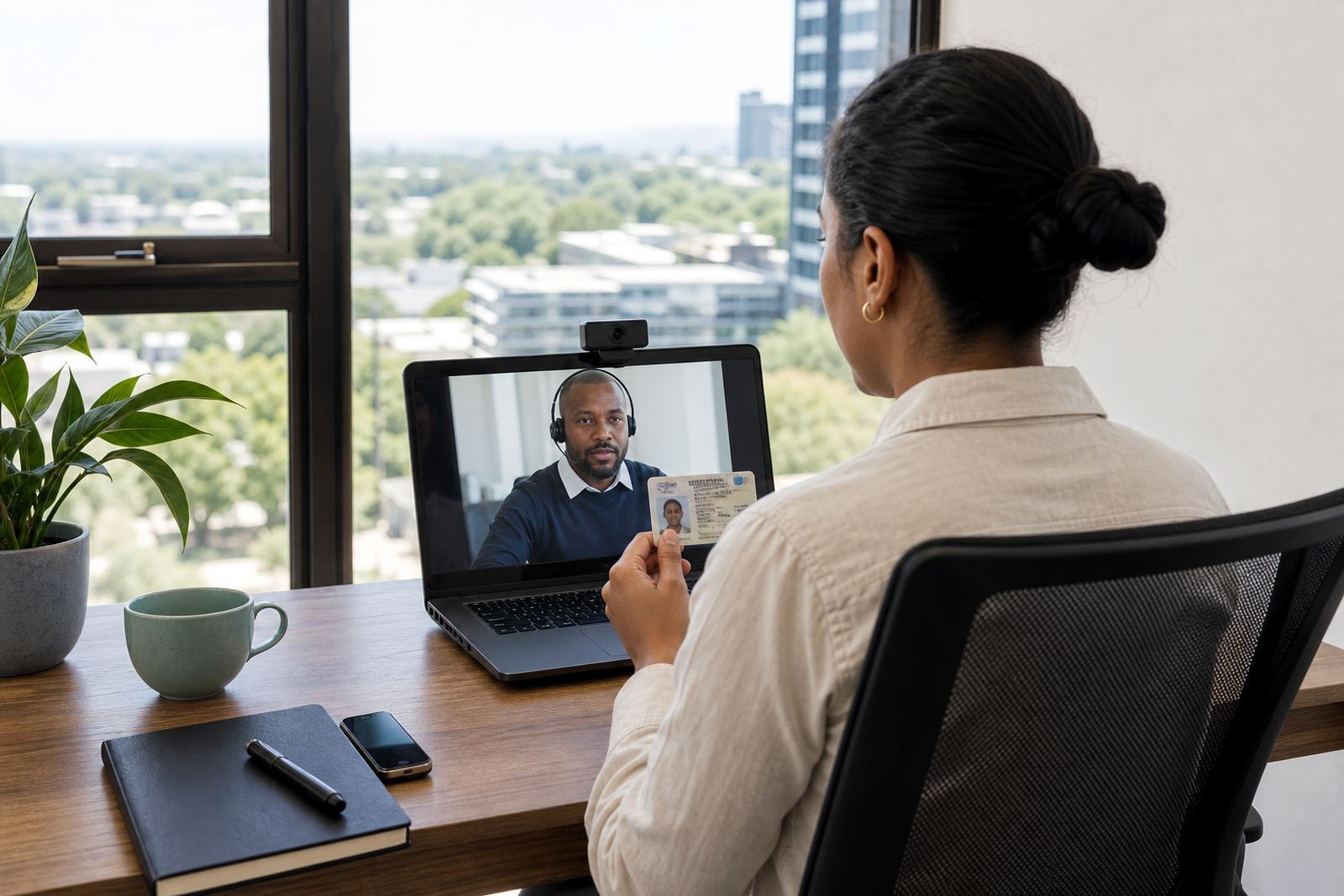
For a phone or laptop camera, keep the device about an arm’s length away. The frame should hold the full face and upper shoulders, with enough room to tilt the document into view when needed. Too close and the image breaks up, too far and small details disappear.
- Set the camera at eye level
- Keep the device on a stand if possible
- Check that the face stays centred in the frame
- Leave enough space for the ID document to move into view
Use lighting that helps both the face and the ID document
A document needs enough light to show the photo, ID number and printed detail without glare. Bright light from above can wash out the page, while side lighting can leave the far edge too dark. A soft front light usually gives the best balance.
Ask the customer to hold the document flat and still for a few seconds. If the plastic cover or card surface reflects light, move the angle a little rather than bringing in stronger light. The goal is clear detail, not a shiny screen of white glare.
- Keep the document flat and level
- Shift the angle if glare appears
- Use soft front light for card capture
- Avoid coloured bulbs that distort skin tones
Keep movement and background noise under control
People often think lighting is the only issue, but movement changes the result just as much. A chair that swivels, a camera that shakes or a customer who keeps leaning in and out of frame all make the session harder to manage.
Choose a place where the customer can sit comfortably with both feet on the floor and the device on a solid surface. If the room is busy, reduce foot traffic around the camera area and keep the session space clear of papers, cables and other distractions.
- Use a fixed chair and table if available
- Remove clutter from the background area
- Keep cables and loose items off the floor
- Ask others to stay clear of the frame
Session checks before the customer joins
A short pre-check saves a lot of confusion once the session starts. The customer should know where to stand or sit, where to point the camera, and how to hold the document so the agent can move through the steps without long pauses.
For businesses running customer onboarding at scale, a standard setup sheet helps staff keep the room consistent. That is useful for branches in Johannesburg, Pretoria, Cape Town, Durban and Gqeberha, where different teams may use different rooms and devices.
- Test the camera framing before the session opens
- Check light from the front and side
- Make sure the document can be read clearly
- Confirm the seating position feels natural for the customer
When to change the setup mid-session
Some rooms look fine at first glance then fail once the customer starts moving the ID document. If the face drops into shadow, the image goes soft or the card reflects too much light, pause and adjust the setup before carrying on.
Small changes usually fix the problem. Shift the chair a little, move the light source, or tilt the camera slightly so the face and document sit in a cleaner angle. A few careful adjustments are better than forcing the session through a poor frame.
- Move the chair rather than the customer’s body where possible
- Reduce glare before increasing brightness
- Re-centre the face if the frame drifts
- Keep the camera stable after each change
Room checklist for smoother verification sessions
This last check is useful for operations teams, training sessions and pilot launches. It keeps the room ready for guided video identity verification, face comparison, liveness checks, consent handling and record keeping in line with normal business due diligence practices.
PersonVideo ID works with South African businesses that need a practical setup for remote onboarding. Our team in Rosebank, Johannesburg supports workflow mapping, integration planning, staff training, agent script design, quality monitoring and go live stabilising for teams across the country.
- Camera at eye level
- Face lit from the front
- No bright window behind the customer
- Document readable without glare
- Background plain and uncluttered
- Seating steady and comfortable