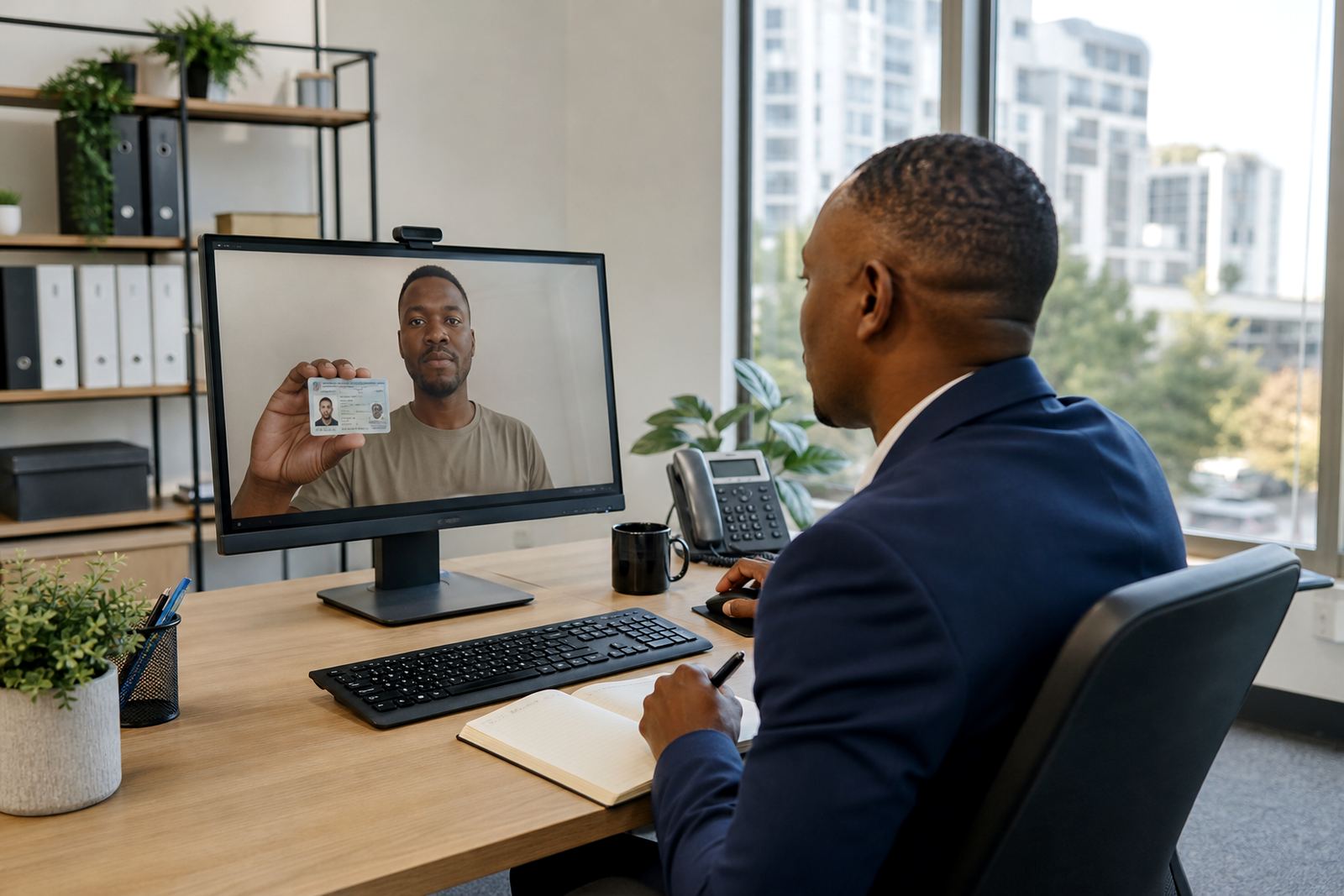
When a new client cannot walk into the office
Accounting and advisory firms deal with clients who travel, work offshore, move between towns, or live too far from the office to sign in person. A remote video identity step fits that intake process well because the person can join from a phone, tablet or laptop, show the ID document on camera, and answer a short set of guided questions while a trained agent records the session. For firms handling tax work, payroll, bookkeeping, trust matters or advisory mandates, that early check can sit neatly beside your normal customer due diligence process.
The practical value is in the order of the steps. The agent checks the person against the document, watches for obvious mismatch, asks for a clear document hold, and may request a brief movement or light change to support liveness checks. Your team can keep the file progressing without needing a branch visit, which helps firms serving clients in Johannesburg, Pretoria, Cape Town, Durban and Gqeberha.
For a take-on team, the main gain is consistency. Each case follows the same script, the same record keeping steps and the same escalation path when something does not line up. That matters when new business arrives through referrals, mergers, estate work or a mix of owner-managed businesses and professionals who want the admin handled properly.
A typical set-up for an accounting intake team
Most firms do not need a large room or a heavy equipment list. A common set-up is a business-grade laptop or benchtop, a stable internet line, a quality webcam, a headset for the agent, and a quiet space where the verifier can hear the client clearly. If the team works across several offices or hybrid staff, the process can still stay centralised through one verification queue and one reporting line.
- A camera that gives a clear face view and document view
- Headset and microphone for clean audio during the session
- Secure login access for each verifier or reviewer
- Screen set-up that lets staff view notes and session records
- Document capture rules for ID card, smart ID or passport
- Session logs for consent, timestamps and outcome notes
In an accounting environment, the equipment choice should match the volume of monthly take-ons, the number of staff involved and the way your practice handles review and sign-off. A small firm with one take-on coordinator may only need a modest station. A larger practice with several intake streams may want a more formal workflow with supervisor review and escalation handling. We also see firms that want staff training built around the wording used in the call, because the script affects the quality of the evidence collected.
Planning the intake flow before clients reach the sign-off counter
Workflow mapping is the place to start. Your team should decide where video verification sits in the file opening sequence, who triggers it, who reviews the record, and what happens if the session is incomplete or the document is unclear. Some firms place it after initial engagement letter acceptance. Others use it before they create the matter on the practice system. The best fit depends on your internal controls and the type of client relationship.
Good planning also covers handover points. If the client is a director, trustee, sole proprietor or partner, the intake record may need different notes or a different approval route. If the firm uses multiple systems, API coordination can help keep the session result aligned with your practice software, document store or task list. That avoids duplicate capture and saves staff from retyping the same details into two places.
Layout still matters even in a remote process. The team needs a quiet room, a clear screen, a simple script card and a secure place for notes. If the same group handles both accounting and advisory clients, the process should be easy to follow without a long explanation each time. A short pilot launch also helps the team see whether the client instructions are too long, too loose or too technical.
Common mistakes that slow an intake file down
One common mistake is treating the session like a quick chat rather than a controlled identity check. If the verifier skips the document angle, rushes the face comparison or forgets to ask for consent before recording, the file can end up with gaps that another staff member must fix later. Another issue is poor lighting on the client side. A face that is partly shadowed or a document shown too close to the camera can make the session hard to assess.
- Letting the client join with a weak camera angle
- Using an untrained script that changes from agent to agent
- Skipping escalation when the document is not clear
- Mixing intake notes with general admin comments
- Keeping records in separate places with no clear owner
Accounting firms also trip up when they do not define how much evidence a file needs before the engagement starts. If one person accepts a blurry image and another asks for a full repeat, the client experiences confusion and the team loses time. Quality monitoring helps here because it shows where the process drifts, especially when several staff members are doing intake work across different branches or remote teams.
Costs, staffing and what the Rand figures usually cover
Budget planning for video identity verification is usually a mix of set-up work and ongoing operations. A small accounting practice may only need a modest setup budget for workflow design, script development and staff training. A larger firm may need integration planning, reporting design and a formal pilot. In Rand terms, the range can sit from about R15 000 for a light internal rollout to R120 000 or more where the firm needs deeper system coordination, multi-branch training and ongoing support design.
Ongoing cost is shaped by session volume, how many staff need access, whether you want quality monitoring, and how often the intake rules change. If your practice regularly onboards trusts, close corporations, companies and individual owners, the task load can be different from a firm that handles mostly one-off tax clients. Refresh training and change request support are useful when the team starts handling a new workflow or a revised script.
For firms with more complex intake structures, it is worth budgeting for operational reporting. That gives managers a clean view of volume, failed sessions, escalation cases and training gaps. It is a practical way to keep the process manageable without piling work onto one person in the office.
How our team supports accounting firms across South Africa
Our Rosebank, Johannesburg team works with firms that want the take-on process to feel orderly for staff and clear for clients. Thabo Mokoka leads the business, with Naledi Adonis on operations, Jared Jantjies on integration planning, Anele Nortje on training, Megan Vermaak on client support, Sibusiso Gamieldien on quality assurance and Leila Petersen leading the verification team. That mix helps a practice move from planning into live use without turning the intake line into a mess of notes and follow-ups.
The support side usually covers workflow mapping, API coordination, agent script design, staff training, escalation design, pilot launch support, go live stabilising and operational reporting. Some firms only need a narrow intake flow for one department. Others want the same process shared across Johannesburg, Pretoria, Cape Town, Durban and Gqeberha, with staff using one standard method no matter where the client is located.
If your accounting or advisory firm is planning a new file opening process, remote video verification can sit neatly inside that workflow. It gives the team a structured way to confirm the person, store the record and move the engagement forward with less back-and-forth at the front end.